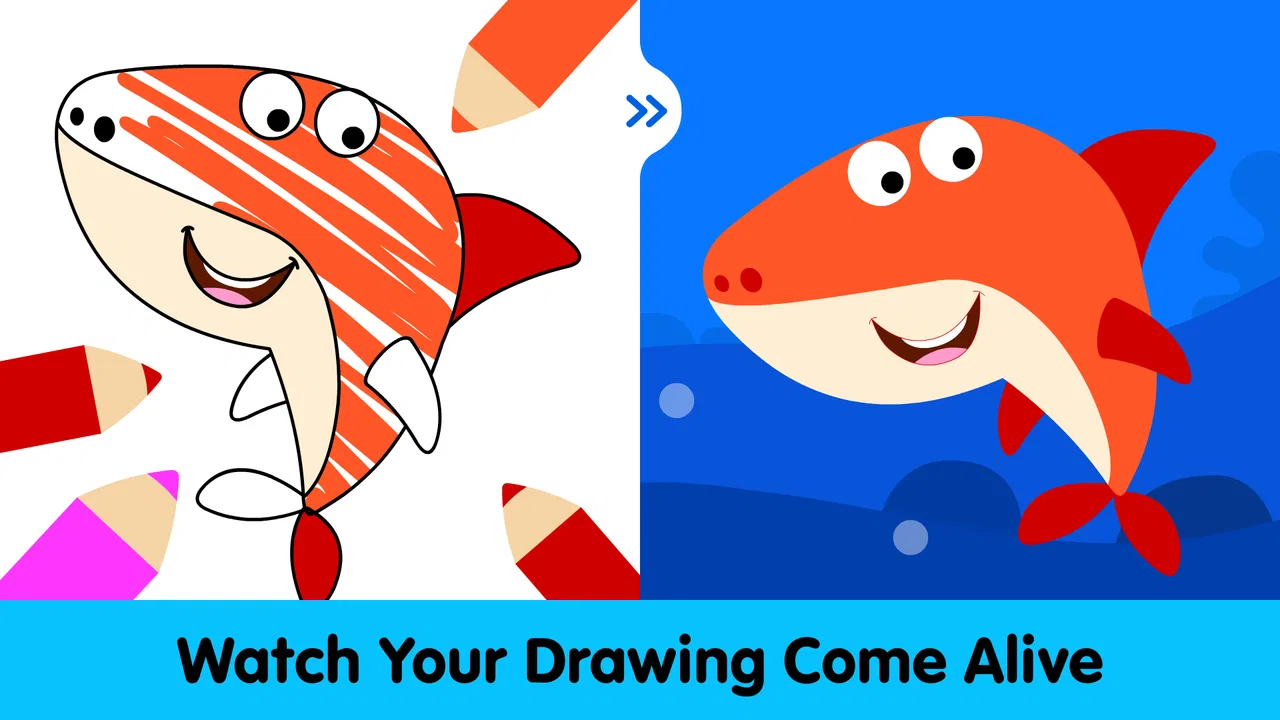
Kids Coloring Pages & Book
- 4.4
- Rating
- 10.00M
- Installs
- Free
- Price

 Analysis by App-foxy
I found Kids Coloring Pages & Book most useful as a simple, low-pressure coloring activity for preschool and kindergarten children who are still learning to recognize and use colors. It is an educational game from IDZ Digital Private Limited, and its appeal is easy to understand: a child can open it, choose a picture, and start coloring without first learning a complicated game system.
That simplicity is also the main decision point. This is not the kind of app I would choose for a child who wants a large creative studio, detailed drawing tools, or a progression-heavy learning program. I would choose it when the goal is a quick, approachable activity that combines screen time with basic color practice. It is free to install, rated for Everyone, and has reached over ten million installs, so it is clearly aimed at a broad family audience rather than a narrow group of advanced young artists.
What I looked for before recommending it
When I assess a coloring game for young children, I pay attention to more than the number of pages. The important questions are whether a child can begin independently, whether the activity feels manageable rather than frustrating, and whether the educational purpose is visible during ordinary use. I also consider how well the app fits a short break, a quiet activity at home, or a shared moment with a parent.
You May Also Like

 Blood Strike: 2.5 Anniversary
Blood Strike’s Loadouts Turn Every Drop Into a Tactical Gamble
A close look at Blood Strike’s custom loadouts: how fast access to signature weapons reshapes its battle royale rhythm, rewards preparation, and narrows the gap between fights.

 Pandora - Music & Podcasts
Pandora’s Music Is Easy to Start, but Harder to Recover
Pandora’s strength is its low-effort path from a seed to a station. Its weak spot is how much confidence it asks you to place in connection, setup, and quiet recovery.

 8 Ball Pool
 Is Built on Rivalries, Rematches, and Routine
A close look at the rivalries, rematches, shared routines, and unanswered safety questions that turn a quick pool match into a persistent mobile community.

 Samsung Music
’s Quiet Strength Is Playing What You Already Own
Its reach comes less from spectacle than from dependable access to a personal library. That simplicity is both the app’s strongest retention engine and its ceiling.

 AccuWeather: Weather Radar
AccuWeather Review: A Quick, Clear Forecast for Everyday Decisions
For everyday plans, the best forecast is the one you can understand quickly. AccuWeather makes rain timing, radar, and local conditions easy to act on, with a few trade-offs.

 Hill Climb Racing
Why Hill Climb Racing Still Turns Crashes Into One More Run
A tiny car, a bumpy hill and one more upgrade: Hill Climb Racing keeps resurfacing because its simple chaos makes every near-miss feel personal.
More From Our News Desk



This game is built around more than one hundred coloring pages for pre-k and kindergarten learners. That gives it a practical advantage over a tiny sample of pictures, especially if a child returns to coloring regularly. At the same time, page quantity alone does not guarantee lasting interest. A child who enjoys making completely original pictures may outgrow a guided coloring format even if there are plenty of pages available.
I also consider the child’s age and motor skills. A preschooler who is just learning to tap accurately may need an adult nearby at first. A kindergarten child who already understands touch controls may be able to move through the activity more comfortably. The experience is best judged as an early-learning coloring book on a screen, not as a replacement for pencils, paper, paint, or a full drawing application.
The app’s public average is 4.3 from around 5,200 ratings, which suggests that many families find the basic concept useful. I would not treat that score as a guarantee for every child, though. Children differ sharply in whether they prefer guided pages or open-ended drawing, and that personal preference matters more here than a rating number.
A good fit for short, supervised routines
One realistic use is an after-school wind-down. A child comes home, has a snack, and spends a few minutes coloring one familiar subject while a parent prepares dinner. The activity gives the child something focused to do without requiring a long explanation. I like this kind of use because it keeps expectations modest: one page can be enough, and the child does not need to finish a large project to feel successful.
It can also work during a waiting period, such as before an appointment or while traveling, provided the device is ready and the child is comfortable using it. I would avoid presenting it as a reward that must be earned every day, because that can turn an otherwise calm creative activity into a source of arguments. Used as one option among several, it is easier to keep the experience positive.
What the educational angle feels like in practice
The learning value comes from repeated contact with colors and from making choices while completing recognizable pictures. I would use the app to reinforce a conversation rather than leave the teaching entirely to the screen. For example, after a child finishes a page, I might ask which color was used most, what other objects have that color, or whether the child wants to try a different combination next time.
That small change makes the activity more meaningful. Instead of simply tapping through pages, the child practices naming colors, comparing choices, and explaining a decision. It also helps parents notice whether the child is choosing colors intentionally or just tapping quickly. The app provides the activity; the adult can add the language and observation that a digital coloring book cannot provide on its own.
A useful tip is to let the child complete a picture without correcting every unusual choice. A purple tree or a blue animal can be an opportunity for imagination, not an error. If the immediate goal is color recognition, I can ask about the choice afterward. If the goal is confidence and creative expression, I would allow more freedom and avoid turning every page into a quiz.
Why the straightforward format is its strongest feature
Young children often lose interest when an app puts too many controls, menus, or objectives in front of them. This game’s central activity is easy to explain: select a page and color it. That makes it more approachable than many general art apps, where a child may need to choose a brush, size, layer, canvas, and color before making a mark.
I also see value in the predictable structure for children who become frustrated by competitive games. There is no need to beat an opponent or complete a difficult level to move forward. Coloring offers a gentler form of engagement, and the child can stop after one page without feeling that a larger challenge has been abandoned.
The store short description is simply “Kids Coloring,” and that plainness matches my impression of the product. It is focused rather than ambitious. Families who want a recognizable coloring activity for early learners may appreciate that focus more than a long list of unrelated mini-games.
Where it wins, and where another category may fit better
Compared with a physical coloring book, the digital version is convenient and reusable. There is no need to carry crayons, find a sharpener, or clean up loose paper after a short session. That makes it handy for a parent who wants a quick activity while away from home. The trade-off is that screen coloring does not provide the same tactile feedback as pressing a crayon onto paper, and it does not develop the exact hand movements involved in traditional drawing.
Compared with a general drawing app, this game is likely to be easier for a young beginner because the page provides a starting point. A blank canvas can be intimidating, especially for a child who says, “I don’t know what to draw.” Guided pictures remove that first obstacle. On the other hand, a general art app is the better choice when the child wants to sketch freely, mix techniques, or create a picture from an empty screen.
Compared with a structured early-learning app, the coloring activity is narrower. A broader learning program may combine letters, numbers, puzzles, stories, and other exercises. That can be more suitable when parents want one app to cover several school-readiness areas. I would choose this game instead when coloring itself is the priority and I do not want unrelated lessons competing for attention.
Compared with a premium art product, the free entry point makes it easier to test with a child before committing. However, in-app purchases range from $4.99 to $5.99 per item, so I would check the purchase flow before handing over the device. The presence of optional paid items does not automatically make the app poor value, but it does mean that “free” should be understood as a way to begin, not necessarily as a promise that every part of the experience is included without cost.
This is one of the less obvious trade-offs for families. A child may not understand the difference between an available page and a page that requires a purchase. If the device is shared, I would establish a simple rule before play: the child can color what is already open, and any additional choice requires asking an adult. That avoids turning a creative session into an accidental spending problem.
Who should choose it
I would recommend it to parents, grandparents, and caregivers looking for an accessible educational coloring game for a preschool or kindergarten child. It is especially suitable when the child enjoys pictures with clear starting points, needs practice naming colors, or benefits from calm activities without competition. The Everyone content rating also makes its intended audience clear, although adults should still guide device use according to the child’s individual needs.
It can be a sensible first digital coloring experience because the child does not need advanced artistic skills to participate. A child who is hesitant with blank pages may feel more confident when the picture is already there. The parent can then use the finished page as a prompt for conversation, storytelling, or a small real-world activity, such as finding objects in the room that match a chosen color.
I would be more cautious about recommending it to an older child who wants detailed control over line work or composition. I would also look elsewhere for a child who needs a broad curriculum rather than a focused coloring activity. A child who strongly prefers physical materials may enjoy it briefly but still gain more from paper, washable markers, and hands-on craft projects.
Small workflow changes that improve the experience
My first practical suggestion is to keep sessions short and purposeful. Rather than asking a child to continue until every page is complete, I would offer one page and then let the child choose whether to stop. This reduces fatigue and makes the app easier to fit into a family routine. It also gives the child a natural chance to return later without making coloring feel like homework.
My second suggestion is to alternate digital and physical coloring. A child can color a page on the device one day, then use paper the next day to draw something inspired by it. This makes the screen activity a starting point for broader creativity instead of the only artistic outlet. It also lets parents see which parts of coloring the child actually enjoys: choosing colors, filling spaces, inventing subjects, or talking about the finished picture.
My third suggestion is to use the app as a language exercise without interrupting the child constantly. I might wait until the child finishes a section, then ask for the color name or invite a comparison with another object. This keeps the activity playful while still supporting vocabulary. It is a better approach than correcting every tap, particularly when the child is experimenting.
A fourth useful approach is to observe frustration rather than assume the child is not interested. If the child repeatedly abandons pages, the issue may be the fit between guided coloring and the child’s preferred style. In that case, a blank drawing app or real art materials may be a better next step. The right decision is not always to find more pages; sometimes the child needs a different kind of control.
Device expectations, age, and version
The game supports devices running Android 5.1 or later, and the current version is 1.4.3. For a family using an older phone or tablet, that minimum requirement is worth checking before planning around the app. A child’s experience also depends on the device itself: a small screen can make tapping and viewing details less comfortable, while a shared tablet may be easier for sitting together.
I would introduce it with an adult nearby, even though the age rating is Everyone. Young children may need help navigating, choosing a page, or understanding which actions are available. Supervision is also useful because it turns passive use into an interactive learning moment and gives the adult a chance to manage any purchase prompts.
The game is free, which lowers the barrier to trying it. Still, families should decide in advance whether optional purchases are appropriate. If the child uses a parent’s device, purchase controls and general device settings deserve attention before the first session. This is not a reason to avoid the app; it is simply part of using any free children’s game responsibly.
What switching to another option would involve
Moving from this app to paper is easy in terms of creativity but less convenient in terms of setup and cleanup. Moving to a general drawing app gives more freedom but may require more teaching. Moving to a broader learning app can provide more variety but may make the simple coloring goal less immediate. In each case, the cost of switching is mainly a change in routine and expectations rather than a technical challenge.
If a child already enjoys this game, I would not replace it just because another category sounds more advanced. I would switch when the child’s needs change: when guided pages feel repetitive, when the child wants to create original scenes, or when the family wants lessons beyond colors. Keeping the current app as a short activity while adding paper or another learning tool may be a better transition than removing it completely.
The app’s scale also makes it practical for families who want a familiar option available on a shared device. With over ten million installs, it is not an obscure experiment that parents must explain from scratch. Even so, popularity should not decide the purchase or download by itself. The real question is whether a focused coloring format matches this particular child’s attention span, interests, and learning goals.
My recommendation
I recommend Kids Coloring Pages & Book for families seeking a straightforward, free starting point for preschool and kindergarten coloring practice. Its strongest qualities are its focused purpose, large collection of pages, gentle learning angle, and low barrier to entry. I especially like it for short supervised sessions where a parent adds conversation and connects screen coloring with real-world color activities.
I would not present it as a complete art education tool or as the best choice for every child. Children who need open-ended drawing, tactile materials, or a wider set of school-readiness lessons may be happier with a different category. The optional paid items also deserve adult attention, and the digital format should complement rather than replace hands-on creativity.
For the right age group, though, the decision is fairly clear. If your child wants to color pictures more than compete, solve complex puzzles, or build elaborate digital artwork, this game is worth trying. Start with a short session, sit nearby, talk about the colors, and watch how the child responds. If the child returns willingly and begins making thoughtful choices, the app is doing exactly what I would want from a simple early-learning coloring companion.
FAQs for Kids Coloring Pages & Book
01What age group is Kids Coloring Pages & Book suitable for?
Kids Coloring Pages & Book is designed for children aged 3 and up. The app provides a variety of coloring pages with different themes, ensuring it caters to toddlers as well as older kids. The interface is intuitive, making it easy for young children to navigate and enjoy.
02Does the app require an internet connection to function?
No, Kids Coloring Pages & Book does not require an internet connection for its primary features. Once downloaded, children can access all the coloring pages and tools offline. However, an internet connection may be needed for updates or to download additional content.
03Is Kids Coloring Pages & Book safe for children to use?
Yes, the app is designed with child safety in mind. It features a child-friendly interface, no in-app purchases, and no ads. There are parental controls available to ensure that children only access appropriate content, providing peace of mind for parents.
04What features does Kids Coloring Pages & Book offer?
The app offers a wide variety of features, including numerous coloring pages, a palette of vibrant colors, and interactive tools such as brushes and stamps. Kids can also save their artwork and share it with family and friends, enhancing their creative experience.
05Is Kids Coloring Pages & Book available on both Android and iOS platforms?
Yes, Kids Coloring Pages & Book is available for both Android and iOS devices. Users can easily download the app from the Google Play Store or the Apple App Store, making it accessible for a wide range of devices.
Pros
- Easy-to-use interface for young children.
- Wide variety of coloring pages available.
- Includes educational themes and topics.
- Offline functionality for uninterrupted use.
- Encourages creativity and fine motor skills.
Cons
- Contains ads that can disrupt play.
- Limited free content; some require purchase.
- No option to save progress across devices.
- Some images may be too complex for toddlers.
- Occasional app crashes reported by users.

Kids Coloring Pages & Book
Gallery